Hold duplicate orders before your 3PL ships them
How the OrderMerge fulfillment hold works, what your 3PL sees, and how to release a held order.
Protect3 min read
1Turn on holds
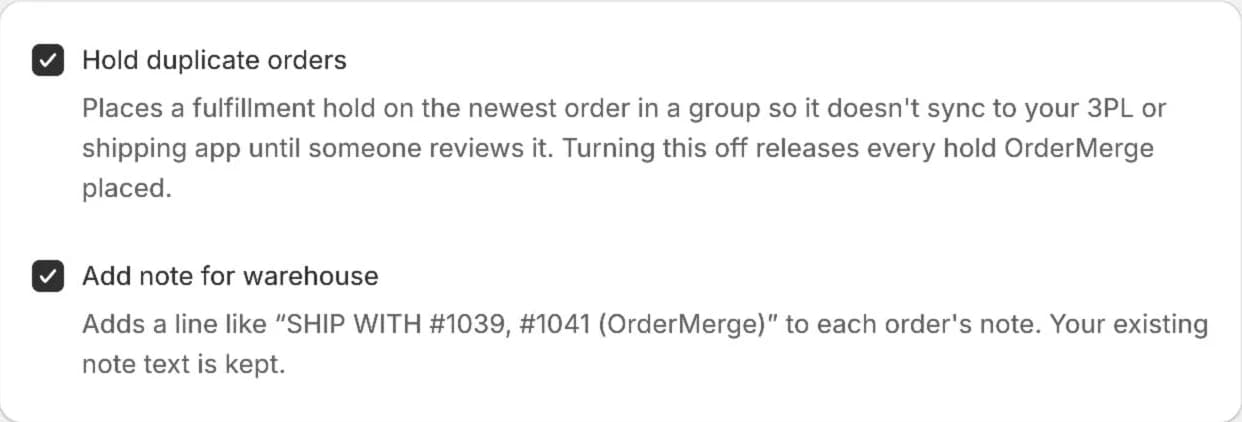
In Settings, Automatic Actions, keep Hold duplicate orders on. OrderMerge places a Shopify fulfillment hold on the newest order in each duplicate group, so it doesn't sync to your 3PL or shipping app until someone reviews it.
Turning the setting off releases every hold OrderMerge placed.
2Find the hold on the order
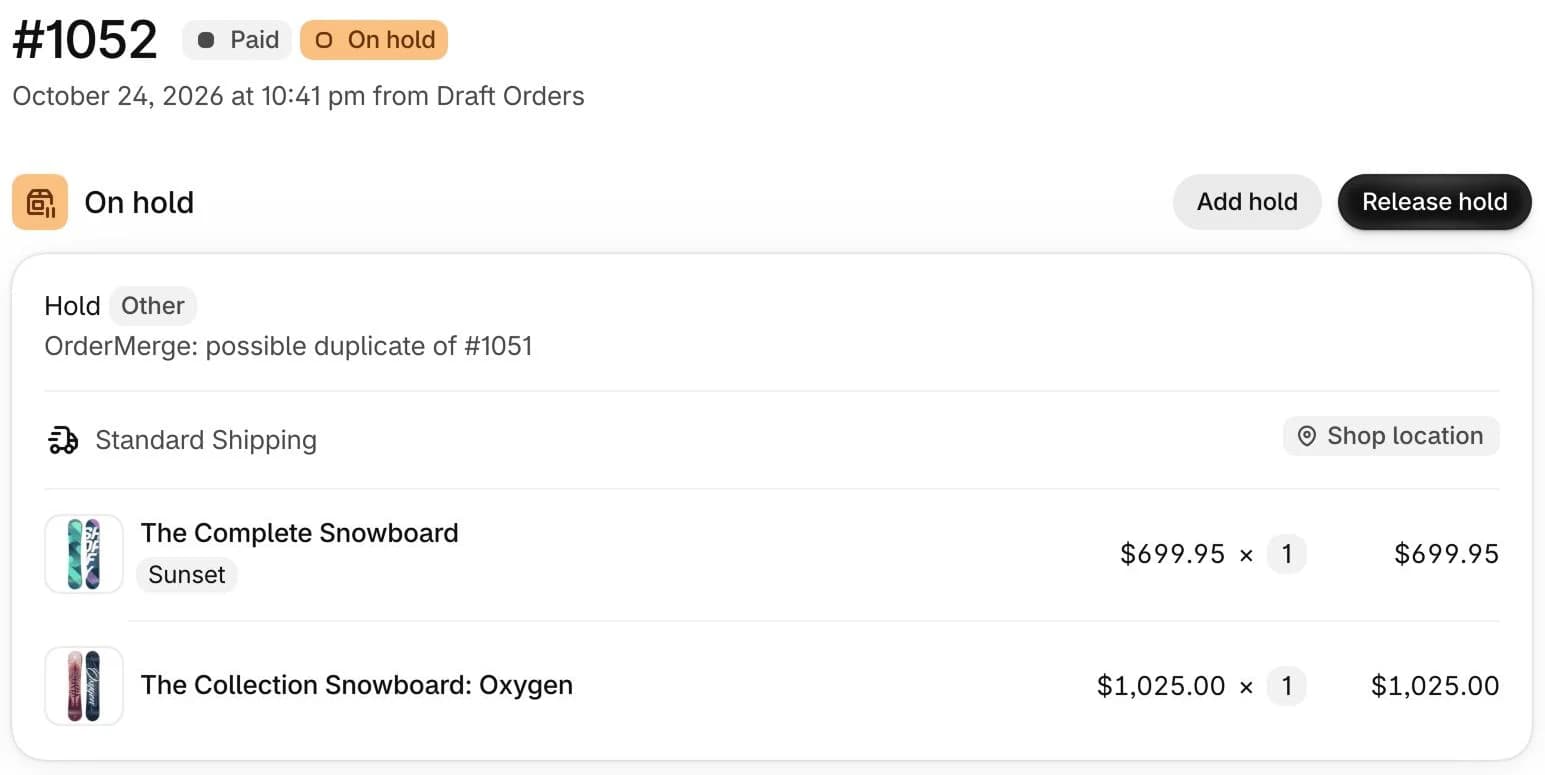
The held order shows On hold in Shopify, with the hold reason Other and the note OrderMerge: possible duplicate of #… naming the earlier order.
The earlier order is never held, so the first box still ships on time.
3Release it when it's fine to ship
Click Release hold in the OrderMerge block or on the group page. The order goes back to your 3PL as usual.
On Protect you can also release it from a Shopify Flow workflow with the Release OrderMerge hold action.

4Before you uninstall
Uninstalling doesn't release holds OrderMerge placed. Release them first from Settings, Holds Placed by OrderMerge, or from each order in Shopify.
Try it on your store. The Free plan starts catching duplicates right away.